Unmet Course Prerequisites
Error Message Display and Meaning
Sometimes, when you try to register for classes on myWSU, you will encounter an error message stating "Requisites not met." What exactly does this mean?
If you try to register for a class and don’t have the background that the department requires for enrollment, you will get a message indicating the specific requisite or requisites not completed.
An example of this message is as follows:
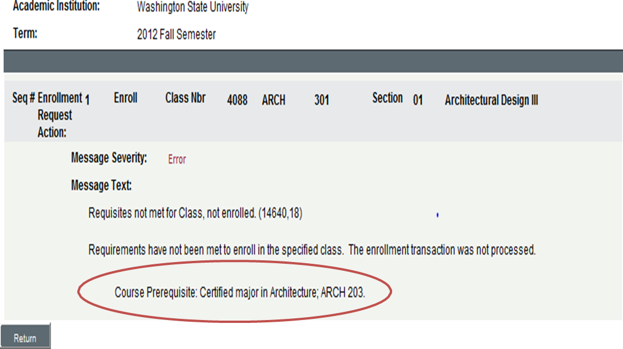
Message Text: Requisites not met for Class, not enrolled. Requirements have not been met to enroll in the specified class. The enrollment transaction was not processed. Course Prerequisite: Certified major in Architecture, ARCH 203.
Your degree audit is a good tool for checking WSU and transfer work that is part of your record and is used for requisite checking.
If you believe that you have the requisites to enroll in a class, consult with the department or your advisor.
Below is a screenshot capture of how the error message appears within myWSU. The course prerequisite has been circled in red on this picture to more easily identify it.